Overview
PS-1 American Government
Creating a Research Poster
Purpose & Display
You will be working on and submitting a research poster with the same topic of your research outline that you completed a few weeks ago. Use this instructional document to learn how to create a successful poster. To get started, decide on the software you will be using and how the poster will be displayed. Microsoft PowerPoint is a good tool or canva (you can create an account for free). Access to a large paper plotter will allow more design freedom.
Communication
Many academic and political science related conferences include poster presentations. “Research posters summarize information or research concisely and attractively to help publicize it and generate discussion.”1 “An effective poster is a visual communications tool,”2 which can engage people in conversation and communicate to a diverse audience. You will be creating a research poster using the finding and research you conducted for your research outline.
An effective poster has the following components:
Visual – Graphs, tables, and/or images tell the story.
Focused – Driven by a single message.
- • Ordered – Reading sequence is obvious
- Required Six components to include in your poster
Research question
Thesis statement
At least 4 clearly written arguments that are well supported by fact, example, and and peer reviewed sources
- At least 1 counter argument is addressed
- At least 5 peer reviewed references
- Images, data, graph
- Content
- To begin, define: your most important/interesting research finding (thesis statement); and include a visual communication medium for it (graphs, charts, photos); and what you will verbally present to complement the poster and enhance understanding.
- Visual Content
Typically, one’s attention naturally focuses first on the title and then on the space in the center below the title. Placing a large, attention-grabbing image in this space can be a good strategy. Locate content symmetrically, or with purposeful asymmetry. Choose colors that complement. Be sure to cite sources.
Design Tip
A vibrant title & image can draw people toward your poster. Make important content clear. Keep text clear and concise. A poster can be an “illustrated abstract.” 3 A good abstract provides many of these (not specifically titled): brief introduction; arguments; support for arguments; conclusions; sources; limitations; and future possibilities.
Creating a research poster can be a great way to present your work in a visually appealing and easy-to-understand format. Here are the steps to create a successful research poster:
 Determine the purpose and audience: Know why you are creating the poster and who you are trying to reach. This will help guide your design choices.
Choose a layout: Decide on the size and orientation of your poster, and select a layout that works best for the content you want to present.
Gather your content: Collect all of the information you want to include on your poster, including text, images, graphs, and tables. Be sure to also review the feedback you received on your research outline to incorporate into your poster.
Organize your content: Decide on the most effective way to present your information, taking into account the purpose of the poster and the audience you are trying to reach.
- Choose a color scheme: Pick a color scheme that is professional, visually appealing, and consistent throughout the poster.
Add text and graphics: Add the text and graphics to your poster, making sure to choose font sizes and styles that are easy to read from a distance.
- Check for clarity: Review your poster and make sure it is easy to understand, even for people who are not familiar with your research.
Remember, a research poster should be clear, concise, and visually appealing. Take the time to make sure your poster effectively communicates your arguments and findings .
- The Research Poster must be submitted in pdf or png format.
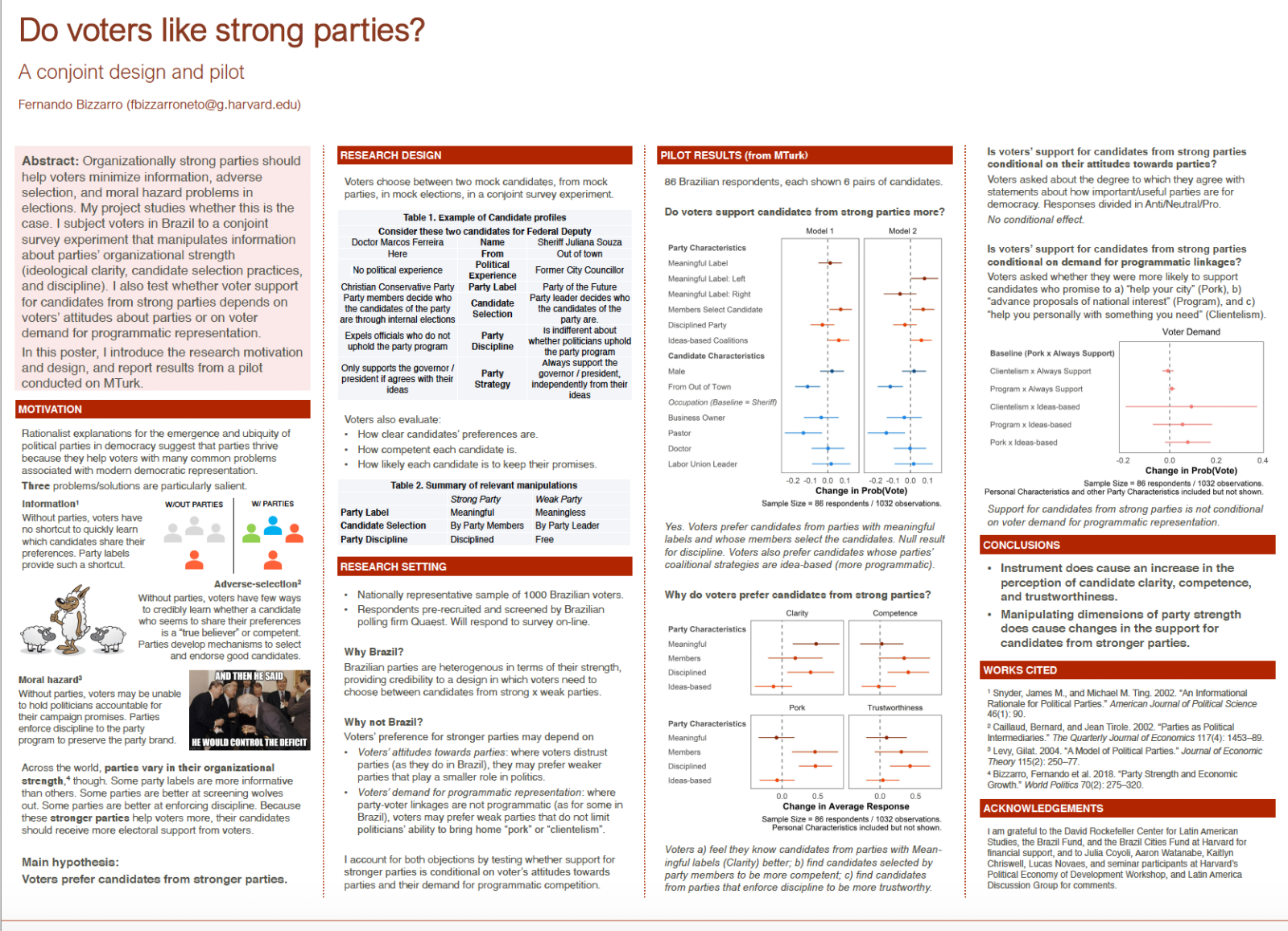
Poster Example: Below is an example of the layout for a poster. Reminder to be sure to include the 6 components outlined above in your poster.